Archive for January, 2010

A History of Evil is an animated mockumentary about Evil in western civilization from Ancient Greece to present day. The film was a student project, (“hence the “unfinishedness” and abrupt ending.”) by Norweigian animator Ole Magnus Saxegård. Here’s his demo reel.

It was animated frame by frame in flash and composited and textured in AfterEffects.

Via @spectraversa’s Twitter feed.

I’ve been seeing some great logos, and I wish to have you guys along with me on this design journey.

I’ll always be searching for logos in these galleries: Logopond, Logo Faves, Logo Moose, Logo from Dreams, Logo Gala, WS Logos, The Logo Mix and Wolda. If you know any more galleries or logos, or even if you own one and wanna be listed here as a source for the series, please drop me a link! I’d love to hear from you. I hope you all enjoy our selection of T logos! Cheers. 😉

Logo Design A to Z - T

Logo Design A to Z - T

Logo Design A to Z - T

Logo Design A to Z - T

Logo Design A to Z - T

Read more »

For picture to be perfect, sometimes it lacks some of the details. And then the questions arise. Where to look? What to look for? To speed up this photo editing process, people often choose the easy method of using resources. But the thing is – they are hard to find and costs you valuable time. Of course, most of us already know that a lot of things come from deviantART, but what will you do in the case you don’t find what you need?

I searched for a fairly long time, until finally gathered these resource sites and I hope that it will be useful not only for me but for you too.

1. deviantART

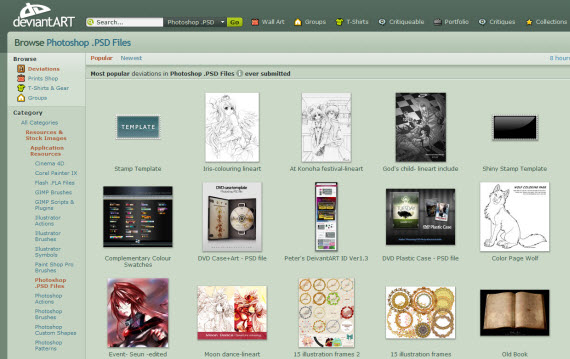
Here you can find almost everything and of course there are plenty of free PSD resources, icons, layouts, textures and much more available. You just need to take your time and do research and I am sure you’ll find what you looking for there.

deviant-art-photoshop-psd-resource-sites

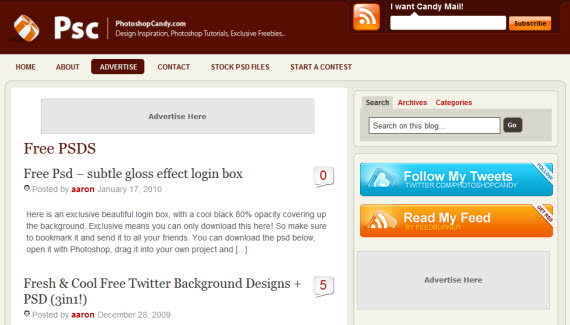
2. Photoshop Candy

photoshop-candy-photoshop-psd-resource-sites

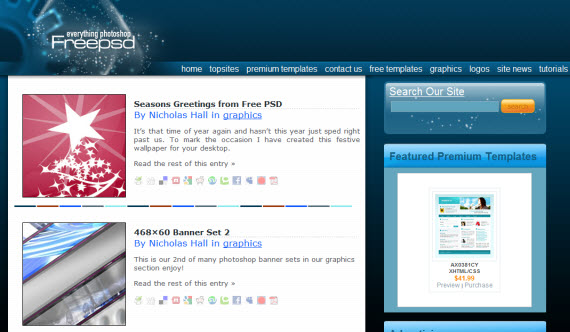
3. FreePSD

free-psd-photoshop-psd-resource-sites

4. Official PSDs

official-psd-photoshop-psd-resource-sites

Read more »

For designers and illustrators, the Behance Network can be an excellent source of inspiration. In this post we’ll feature 25 character illustrations from members of Behance. If you see something you like, click on the image to go to the Behance page and check out some more work by the designer.

character design inspiration

character design inspiration

character design inspiration

character design inspiration
Read more »

I’ve always been using Firefox browser, I mean already for 5–6 years and never thought I would want to choose something else. Firefox is great browser and what makes it so great is all those thousands of plugins you download freely. You can find now plugin for almost everything you could ever think of – there is only one big downside. Firefox is much slower than Chrome and actually eat’s more of computer’s CPU than other browsers.

I have a friend who suggested to try Chrome again and I thought I will give it a try – now I will check how much and how good extensions Chrome has and is it enough to transfer now?

This article will try to answer to question – can designer, web developer, social marketing, SEO person actually transfer to Chrome without any loss of extension features. Are there something similar to FireBug, WebDeveloper, Color Picker, SEO For Firefox, Alexa ranks, debugging tools, which can be replaced to be used daily?

Let’s put Chrome on test – shall we?

If you know a little about Google Chrome read our previous article about this browser features – Google Chrome Review.

Chrome Extensions For Daily Browsing

1. Aviary Screen Capture

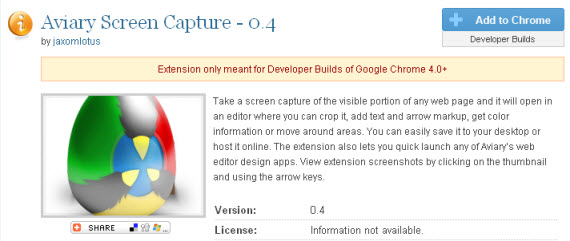
Take a screen capture of the visible portion of any web page and it will open in an editor where you can crop it, add text and arrow markup, get color information or move around areas. You can easily save it to your desktop or host it online. The extension also lets you quick launch any of Aviary’s web editor design apps. View extension screenshots by clicking on the thumbnail and using the arrow keys.
Aviary-valuable-google-chrome-extensions-web-design

2. Xmarks Bookmarks Sync

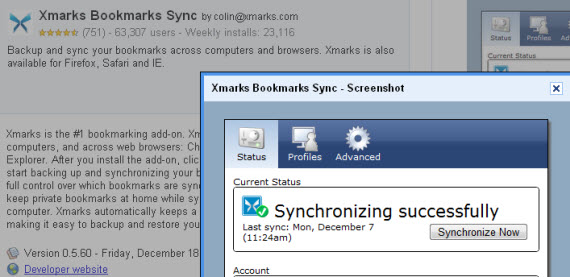
Backup and sync your bookmarks across computers and browsers. Xmarks is also available for Firefox, Safari and IE.

Since I am working on one computer at work and laptop, I love this automatic tool syncing my bookmarks  and allowing me to worry about other things.
Xmarks-valuable-google-chrome-extensions-web-design

3. AdThwart

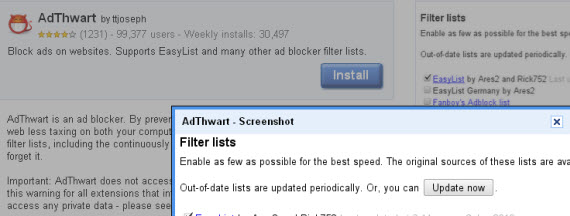
Block ads on websites. Supports EasyList and many other ad blocker filter lists.
Adthwart-valuable-google-chrome-extensions-web-design

4. Evernote Web Clipper

Evernote’s Web Clipper extension let you save interesting stuff you see on the web.
Read more »

Currently looking for permanent roles