Tutorials

The User experience has dramatically improved over the past few years, resulting in rich and responsive user interface. AJAX, javascript and CSS are widely used to offer users the dynamic interaction that they have come to expect from advanced, sophisticated, professional solutions.

There’s a lot of powerful interactivity you can bring to your site to spice up just about any web page using one of the most powerful and modular javascript libraries—MooTools! It’s important to note that small and useful features can cleverly deal with hiding and showing important information in non-traditional ways.

Today, we will have a look at 20 creative techniques using MooTools javascript framework for rich UI in modern day websites.

1. Show/hide a nice Login Panel using Mootools 1.2

In this tutorial, we will see how to create a show/hide login panel on top of your page using Mootools 1.2.

2. MooGenda

MooGenda is a javascript calendar based on MooTools, that reads events from JSON requests. MooGenda supports double click on event to see the deafult event view, drag and drop event in month view, every change send a request to back end, to store when and what changed in the event.

Check out the demo here

3. Morph Effect on mouseenter/mouseleave with Mootools 1.2

In this tutorial, we will see how to add some amazing effects to an unordered list on mouseover with the Element Method: morph and to make the whole list item region clickable with Mootools 1.2. The goal is to take a boring unordered list and to turn it into something fun to click.

Check out the demo here

4. Create a Simple, Powerful Product Highlighter with MooTools

Create a flexible tool for highlighting your sites products or services using the MooTools javascript framework. Also, learn some of the many reasons why MooTools just might be the right javascript library for all of your future projects!

Check out the demo here

5. Jazz Up Your Forms With MooTools Pt. 1

A MooTools and contact forms with animated field highlighting, displaying/hiding instructions for each input field, live comment previewing and auto-resizing of both the comment preview and it’s corresponding textarea input.

Check out the demo here

6. Mootools CSS Styled Scrollbar

A small piece of javascript that creates a css styled scrollbar from the Mootools (version 1.2b2) Slider class. The example page shows three div elements with a styled horizontal and/or vertical scrollbars.

Check out the demo here

7. Delayed Image Preloading Using Mootools

There are possible scenarios that need image preloading. Most browsers only allow two concurrent requests at the same time to the same domain. When we do the image preloading on domready, it might hold up other resources that need to be loaded. Because we preload images that are not shown when the page loads, we can delay the preloading.

Array.each.delay(3000,this,[
	['foo.gif', 'bar.png','moo.png','tools.png', 'mootools.png'],
	function(src){var img = new Image();img.src = src;}
]);

8. Facebook-Style Modal Box Using MooTools

David Walsh took facebook’s imagery and CSS and combined it with MooTools’ awesome functionality to duplicate the effect of Facebook’s Modal box.

Check out the demo here

9. OmniGrid

The OmniGrid component is inspired by two similar components: FlexGrid jQuery and phatfusion:sortableTable and partly uses their source code.

Check out the demo here

10. MooTools Flashlight Effect

A nice neat effect inspired by the jQuery version found here.

Check out the demo here

11. FormCheck

FormCheck is a class that allows you to perform different tests on form to validate them before submission. FormCheck is lightweight, shiny and fast, supports skins (using CSS), 10 different languages, and shows errors as tips. It support basic validation (required, alpha, digit, alpanu, lenght, confirm…), regex validation (phone, email, url) and a lot of options that allow you to customize this class to fit exactly as you want.

Check out the demo here

12. Fancy Upload

FancyUpload is a file-input replacement which features an unobtrusive, multiple-file selection menu and queued upload with an animated progress bar. It is easy to setup, is server independent, completely styleable via CSS and XHTML and uses MooTools to work in all modern browsers.

Check out the demo here

13. AutoCompleter

This AutoCompleter script for MooTools provides the functionality for text suggestion and completion. It features different data-sources (local, JSON or XML), a variety of user interactions, custom formatting, multiple selection, animations and much more.

Check out the demo here

14. Fantastic News Ticker Newsvine-like using Mootools

This tutorial explains how to implement a Newsvine News Ticker, with news vertical scrolling, using mootools. It’s very simple and quick to implement in your web projects.

Check out the demo here

15. mParallax

mParallax is a MooTools implementation of the popular jQuery plugin: jParallax. “jParallax turns a selected element into a ‘window’, or viewport, and all its children into absolutely positioned layers that can be seen through the viewport. These layers move in response to the mouse, and, depending on their dimensions (and options for layer initialisation), they move by different amounts, in a parallaxy kind of way”. You can create parallax effects while having the option to customize various settings.

Check out the demo here

16. BySlideMenu

BySlideMenu is a plugin for Mootools which allow you to easily create a beautiful accordion menu (sliding menu) on any element you want (ul/li, div, p …) using images and/or text. You have the option to create it vertically or horizontally, the container width/height can be adjusted automatically, Menu can be pinned or not, by mouseover or click and with Overflow support.

Check out the demos here

17. mooCSSChart

Create animated Bar Charts using the MooTools.

Check out the demos here

18. MavSelectBox

MavSelectBox is a simple-to-use form select replacement that allows for better customization. MavSelectBox mimics the GUI interactions of a normal select element as much as possible. Up and down arrows move the selection, tabbing to it and hitting alt+down shows the menu, tabbing to it and simply hitting up or down selects the next available option in that direction, focusing then start typing and the option that matches what you are typing is selected, enter selects, esc closes, and so on.

Check out the demos here

19. A Better Pagination

It is only a little script that can turn your ugly looking numbers into a nice looking Slider using MooTools. The script only contains a little fix for the Slider in mootools-more so the “knob” doesn’t jump around when clicking it and is also packed up a little example in PHP to see how you can integrate this script in your blog easily.

Check out the demos here

20. SlideItMoo

SlideItMoo is a MooTools 1.2 JavaScript plugin for sliding images, browser friendly and nicely degradable. All CSS styling is external. The plugin can slide the images from your photo gallery either by clicking the back – forward buttons or by mouse wheel. It supports continuous sliding when navigating, offers the possibility to set how the slider will slide ( from left or from right ) when used with the auto slide feature on, offers the possibility to give it the item width ( width of the slider’s items ) and let it display the elements according to that width and the visible items parameter.

Check out the demos here

Must Read Mootools Tutorials

30 Days of MooTools Tutorials

These tutorials will assume no previous Mootools or JavaScript experience, but will require basic knowledge of html and CSS.

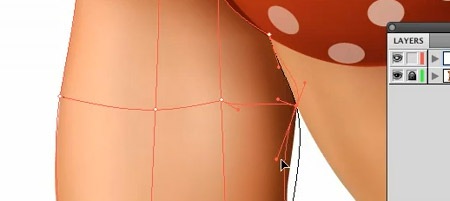
The gradient mesh is one of the most powerful tools in your Illustrator toolbox, but it’s also one of the trickiest to get the hang of. This year I’m determined to master this amazing tool, so I’ve searched the web far and wide to pull together the best free training materials. This collection of tutorials covers everything from basic gradient mesh tool to some full on photorealistic vector designs. If, like me you have a mission to get to grips with gradient mesh, look no further than this collection of resources.

Gradient mesh capabilities

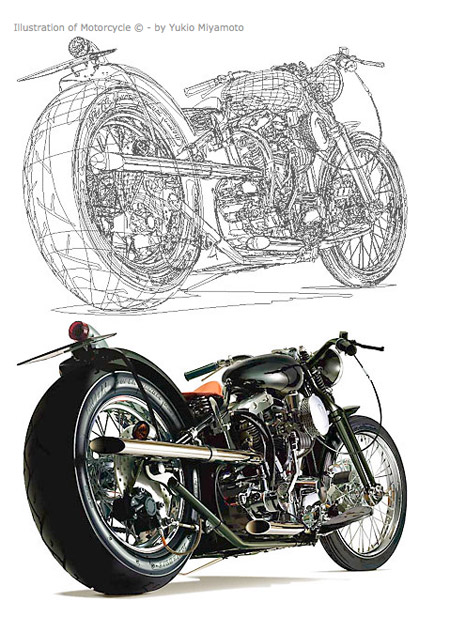
You only have to glance at amazing artwork such as this motorcycle rendering by Yukio Miyamoto to realise how powerful the gradient mesh tool can be. It allows the most minute control over colour gradients, enabling you to recreate highlights and shadows that help produce photorealistic images.

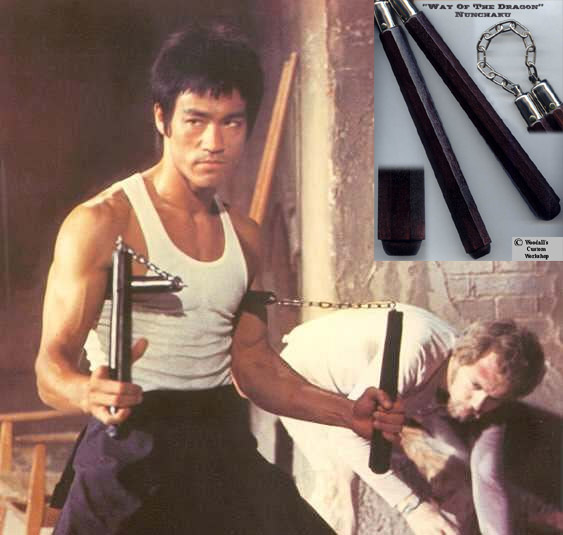
I like to think of the gradient mesh like the great Nunchaku, it’s a weapon of awesome capabilities that when used to its full potential by masters like Bruce Lee or Michelangelo the turtle looks insanely awesome. However it takes years of practice to become a true ninja. The same goes with the gradient mesh, when in the hands of a veteran, it can be used to create some unbelieveable photorealistic artwork, but it takes time, dedication and mental power to become a true master. Wrap a scarf around your head Karate Kid style and let’s get down to some serious training with these tutorials!

Gradient mesh tutorials

Tips for Working with the Gradient Mesh Tool In Illustrator

View the tutorial

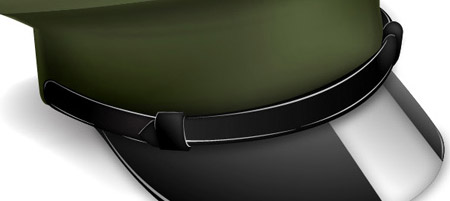
How to Make a Vector Military Cap Icon

View the tutorial

Illustrator Tutorial: Gradient Mesh Flower

View the tutorial

Create a Yummy Ice Cream Icon with Mesh Objects and Blends

View the tutorial

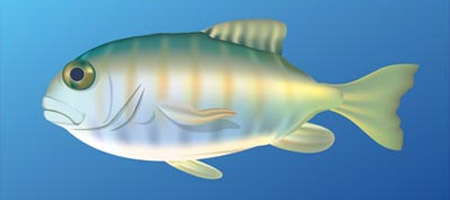
Create realistic illustrations using Illustrator’s Gradient Mesh

View the tutorial

Vectors Imitate Life with Gradient Mesh

View the tutorial

Gradient Mesh Tutorial

View the tutorial

Illustrate a Pair of Sweet Gradient Mesh Cherries

View the tutorial

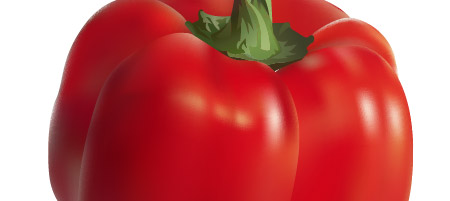
Gradient Mesh Bell Pepper Tutorial

View the tutorial

Master the gradient mesh tool

View the tutorial

Make a Shiny Gum Ball Machine with Mesh Gradients

View the tutorial

Gradient Mesh Editing Tutorial

View the tutorial

How to Create an Energy Saving Bulb in Illustrator

View the tutorial

Mastering Mesh

View the tutorial

Make an Aurora Borealis Design in Illustrator

View the tutorial

Illustrator Tutorial: Realistic Curtain

View the tutorial

Video Tutorials

Sometimes it’s handy to get that extra level of help from a video screencast. These tutorials help you understand the actual workflow and see the techniques in action.

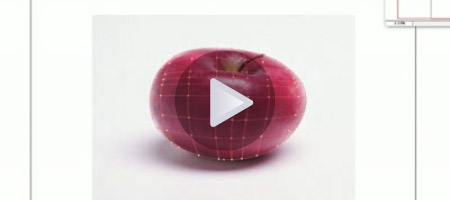
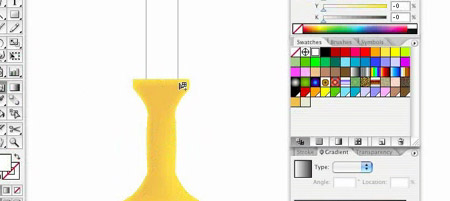
The Adobe Illustrator Gradient Mesh Tool

View the tutorial

Intro to the Gradient Mesh Tool

View the tutorial

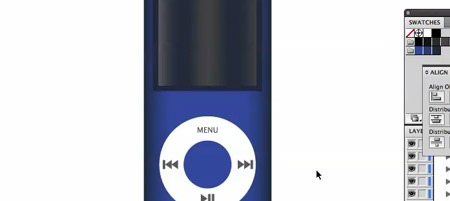
Create an iPod Nano Using Gradient Mesh

View the tutorial

Gradient mesh, freshly brewed coffee

View the tutorial

Reshaping Mesh to fit into complex shapes (pt1)

View the tutorial

Adding color to each mesh node (pt2)

View the tutorial

In most areas of business, and particularly in the field of design, a well designed business card can be as important as your online identity.  There is no question that a business card very often will create a bond between you and your customers that is long lasting.  Leaving behind just the right card will keep you on their radar and get the attention of your target.

Until recently most people did not look at business cards as interactive elements that can be made of different materials, textures and shapes, going far beyond what most people consider as standard practice.  Today, lets take a look at 50 extremely creative and original business cards and design tutorials that really help push the boundaries and show the extent some people go to set themselves apart in this competitive marketplace.

Chef Burger

Creative Business Cards -- Chef Burger

Creative Business Cards — Chef Burger

Plastic Business Cards – Lined Paper

Plastic Business Cards Lined Paper

Creative Business Cards – Plastic Business Cards – Lined Paper

Interrobang Design

Interrobang Design

Interrobang Design

NetPlus ID

NetPlus ID

Creative Business Cards – NetPlus ID

Rumble

Rumble

Creative Business Cards – Rumble

Couples Therapist Card

Couples Therapist

Creative Business Cards – Couples Therapist

Orderin.Ca

Orderin.Ca

Creative Business Cards – Orderin.Ca

Accentuate

Accentuate

Creative Business Cards – Accentuate

The Photography of Nathan Jones

The Photography of Nathan Jones

Creative Business Cards – The Photography of Nathan Jones

Reflections Dental Care

Reflections Dental Care

Creative Business Cards – Reflections Dental Care

Joanne Foltran

Joanne Foltran

Creative Business Cards – Joanne Foltran

Blue Bird Design

Blue Bird Design

Creative Business Cards – Blue Bird Design

Nation Builder Pop Up

Nation Builder Pop Up

Creative Business Cards – Nation Builder Pop Up

Edible Business Card – Head Hunter

Edible Card - Headhunter

Creative Business Cards – Edible Card – Headhunter

Chris Colhoun

Chris Colhoun

Creative Business Cards – Chris Colhoun

Sandrine Abraham – Du Bout Des Yeux

Sandrine Abraham - Du Bout Des Yeux

Creative Business Cards – Sandrine Abraham – Du Bout Des Yeux

Corvus Design Studio

Corvus Design Studio

Creative Business Cards – Corvus Design Studio

Stretchable Personal Trainer Card

Stretchable Personal Trainer Card

Creative Business Cards – Stretchable Personal Trainer Card

Impact Ideas

Impact Ideas

Creative Business Cards – Impact Ideas

DreamTen

DreamTen

Creative Business Cards – DreamTen

Chuck Tingley

Chuck Tingley

Creative Business Cards – Chuck Tingley

Richard E. Smith Circles

Richard E. Smith Circles

Creative Business Cards – Richard E. Smith Circles

Artams

Artams

Creative Business Cards – Artams

Taste Chocolate

Taste Chocolate

Creative Business Cards – Taste Chocolate

Retro Sports Inspired Business Cards

Retro Sports Inspired Business Card

Creative Business Cards – Retro Sports Inspired Business Card

Blooming Designer

Blooming Designer

Creative Business Cards – Blooming Designer

Egil Paulson Easel Card

Egil Paulson

Creative Business Cards – Egil Paulson Easel Card

X3 Studios

X3 Studios

Creative Business Cards – X3 Studios

Mineral Spring Water

Mineral Spring Water

Creative Business Cards – Mineral Spring Water

Dallas Laser Printing

Dallas Laser Printing

Creative Business Cards – Dallas Laser Printing

Matilda Jane

Matilda Jane

Creative Business Cards – Matilda Jane

Becka Viau

Becka Viau

Creative Business Cards – Becka Viau

Digitopolis

Digitopolis

Creative Business Cards – Digitopolis

Mattson Creative

Mattson Creative

Creative Business Cards – Mattson Creative

Jared Andrew Schorr

Jared Andrew Schorr

Creative Business Cards – Jared Andrew Schorr

Emerson Taymor Pop Up

Emerson Taymor

Creative Business Cards – Emerson Taymor Pop Up

Mark Ramadan

Mark Ramadan

Creative Business Cards – Mark Ramadan

Genie Alisa

Genie Alisa

Creative Business Cards – Genie Alisa

Mix Tape Generation

Mix Tape Generation

Creative Business Cards – Mix Tape Generation

e Aqua

e Aqua

Creative Business Cards – e Aqua

Wedding Television

Wedding Television

Creative Business Cards – Wedding Television

Colorburned

Colorburned

Creative Business Cards – Colorburned

Ben Webster

Ben Webster

Creative Business Cards – Ben Webster

Max Steiner – Everyday Hero

Max Steiner - Everyday Hero

Creative Business Cards – Max Steiner – Everyday Hero

The Alembic

The Alembic

Creative Business Cards – The Alembic

Tutorials

Making a Print-Ready Business Card Using Only Photoshop

Business Card Tutorial

Business Card Tutorial

Design a Print Ready Business Card for Designers

Business Card Tutorial

Business Card Tutorial

Making a grungy business card

Making a Grungy Business Card

Making a Grungy Business Card

Design an Abstract Business Card

Business Card Tutorial

Business Card Tutorial

Creating a new Web 2.0 Business Card

Creating a new Web 2.0 Business Card

Creating a new Web 2.0 Business Card