If you are blogger and since now it’s like trend – everybody is blogging, you should know, writing through WordPress Rich Text Editor isn’t that fastest and easiest way. Most importantly you must think about ways how to automate and fasten your work process. Choosing desktop blogging client is one of the most important aspects in my opinion – forget about standard WordPress editor and start using something a lot more faster and handier.
This article is created to explain everything about desktop blogging editors, main features, why and how you should use one. I will also share my own experiences, I’ve been blogging daily and I’ve tested a lot of tools, automating programs and blogging clients and I think I can objectively evaluate features.
I’ve been blogging for 1.5 years now and when I switched to desktop blogging editor, I never went back. There are several great, free editors, Firefox plugins allowing you to write articles more easier. When I started I used WordPress admin panel, I wrote everything in plain code writing all tags and urls myself – it wasn’t fast so I needed to figure something out.
Then I found Windows Live Writer and it seemed to be solution, but I got upload problems. There was several times when I uploaded images through Live Writer, but in the middle (let’s say 54/100 images) something went wrong with image, I needed to fix error, upload images from beginning and my server from those requests several times crashed. Also back then I didn’t know how to set different settings, so images wouldn’t have that drop shadow, resize image settings (it created one unnecessary thumb image for me). If you haven’t got huge posts with a lot of images Windows Live Writer is perfect solution, but I needed something different.
I figured out I need to upload images to server manually to reduce it’s overload. I used find/replace features to change image local address to direct online link. If you want to know how I do that, this blog post could help you – The Best And Fastest Way To Create Blog Post. I wrote there my experiences and my approach to write and manually create article. In that way I get very clean code using Blogdesk.
With Windows XP Blogdesk was perfect solution, but somehow with Windows Vista and Windows 7 it doesn’t work very good. I got mystic saving problems myself and I don’t really know what to suggest for my new guest authors. And yes,main reason I decided to write this article doing serious research in available desktop blogging editors is because I wanted to find new editor which could suit for me as well!
Let’s give it a try – shall we?
So.. What the heck is desktop blogging editors? Why You should use one?
As I mentioned above, when I started to blog I wrote my posts in WordPress Rich Text Editor, where you can get code/design view, upload images – at first it seems like a good way to go, but image uploading you need to do manually one by one and it takes a lot of time. And what you will do if you internet browser crashes in the middle of article and you forgot to save it? How you will write your post if you have no Internet connection?
Okay, then you could write your posts in word processors like Microsoft Word, Textpad and then just paste finished text into WordPress post section. But again we have problems with formatting and image uploading. However this simple approach will work just fine for short textual posts with few images and almost no formatting, but I am talking more about serious blogging and approach.
Desktop blogging tools and editors are independent texting WYSIWYG software you can connect with you blog and essentially it is very simple text/code editor created specifically for easier and automated blogging. Now you can format, write text, add images, effects in design view and if you need to edit some code manually or check how it looks – just switch to code view! And the best thing is, you don’t need Internet connection to write your posts, only when you want to publish it. Your posts are always in safety in blogging editor, accessable in any time!
Everybody loves lists, so I created one with main benefits why you should use desktop blogging editor:
-
Write Articles Offline – For example if you own laptop and travel, you don’t always have Internet connection. No problem! Write your post in blogging editor and you can publish it once you’ll get Internet connection just by hitting publish button. No more copy/paste and images will be uploaded automatically as well.
-
Spell Checking – This is basic, but good blogging editor has this feature and after writing your post, just run spell checking and rapidly correct all mistakes you’ve accidentaly made.
-
Multiple blogs – If you write for your own blog and you are guest writer on another, it is really painful to publish it and switch to another blog. With blogging client, you can change blog to publish with few clicks and without any worries.
-
Quick and easy editing – Switch from design to code section to easily change some code, fix small errors.
-
Automated Image Uploading – Usually blogging clients are connected directly with your blog and when you hit publish button, all images are uploaded from your computer to local server automatically. If you haven’t got many pictures, it’s great solution.
-
Easy Post Management – Rapidly fast browse through your previous drafts, published articles, edit them, save – in WordPress panel it would be many times slower process.
-
Browser Crash – Sometimes browser just crash and you loose some time and work, with blogging client it is almost impossible. Usually clients have enabled autosave each 3-4minutes, in that way preventing any work loss.
-
Feature Integration – Many clients support Flickr, Delicious, Youtube for automated image linking, video adding and more features.
Free Desktop Blogging Editors For Windows
From free desktop blogging editors I would recommend Windows Live writer, Blogdesk or w.bloggar. Every client offers different features, you should check out them all and then pick your favorite one, which suits you the best.
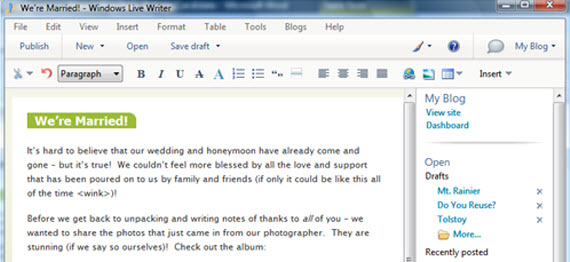
Writer makes it easy to share your photos and videos on almost any blog service—Windows Live, WordPress, Blogger, LiveJournal, TypePad, and many more.
It has many features, I will mention most important ones:
-
Crop and tilt photos
-
Insert multiple photos
-
Additional spell checking languages
-
Insert and publish video to YouTube
-
Word count
-
Twitter, Digg and Flickr Plug-ins
-
Type-down filtering in the Open dialog
Check out Windows Live Writer Tweaks, Tips and Updates article from Lifehacker for deeper research.
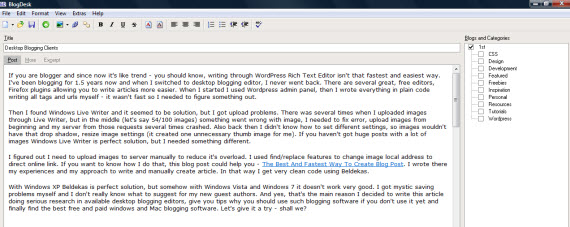
Blogging should be simple, but it gets complicated and time-consuming if you are serious about it. BlogDesk makes it easy to write, speeds up lavish processes and assists the author with smart features.
Feature list:
-
WYSIWYG editor
-
ImageWizard to easy insert images, create thumbnails
-
Reduced view – switch to cleaner view with less distractions
-
BlogWizards – easily configure blog
-
Spell checker
-
Tags-Generator
-
Frequently Used Phrases – time-saver for often used phrases
Post2Blog 3 is a FREEWARE handy blog editor with live spell-checking support for pro-bloggers.
Feature list:
-
WYSIWYG editor with complete hot-keys support;
-
Built-in “Live” spellchecking;
-
Images are uploaded automatically;
-
Compose new posts in MS Word and post them to your blog using Post2Blog toolbar for MS Word;
-
Add Technorati, Del.icio.us, Buzzwords, 43 Things tags to your posts;
-
Automatically send trackbacks, ping web-services to notify about updates in your blogs;
-
Use built-in smiles for use in your blog;

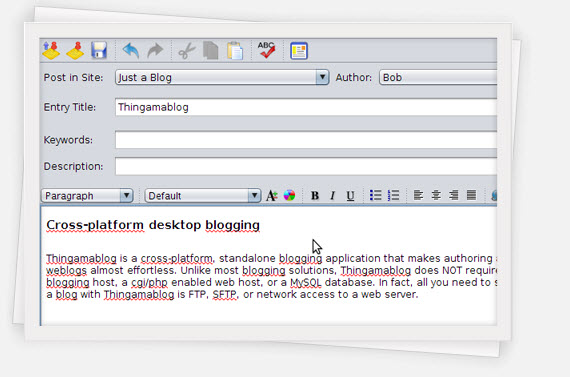
Thingamablog is a cross-platform, standalone blogging application that makes authoring and publishing your weblogs almost effortless. Unlike most blogging solutions, Thingamablog does NOT require a third-party blogging host, a cgi/php enabled web host, or a MySQL database. In fact, all you need to setup, and manage, a blog with Thingamablog is FTP, SFTP, or network access to a web server.
Feature list:
-
Maintain multiple blogs
-
Read news with an integrated feed reader
-
Publish remotely to your blog via email
-
Set up flexible archiving options
-
Define your own custom template tags
-
Set up flexible archiving options
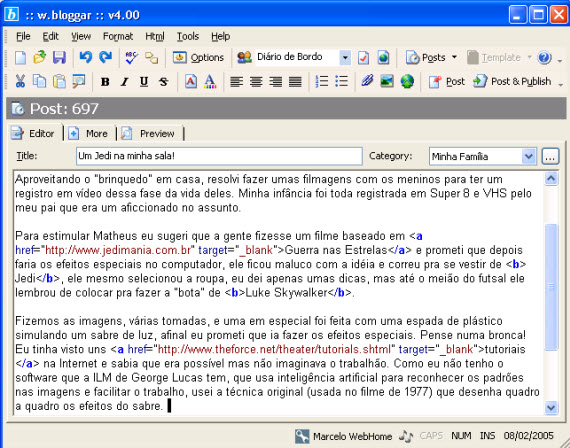
The w.bloggar is an application that acts as an interface between the user and one or more blog(s); in other words, it is a Post and Template editor, with several features and resources that the browser based blog editors do not offer.
Feature list:
The Zoundry Blog Writer™ is a rich WYSIWYG blogging editor that’s as easy to use as a word processor. With just a few clicks of a mouse instead of complex HTML coding, you can do things like drag and drop images, create block quotes, and format links to open in a new window.
Feature list:
-
Tabbed true WYSIWYG Editing
-
Improved content management
-
Manage multiple media storage services
-
Manage multiple blogs offline
-
Raven2Go: Portable Application support
-
WordPress 2.2+ Page & Tag support
Read more about Zoundry features here.
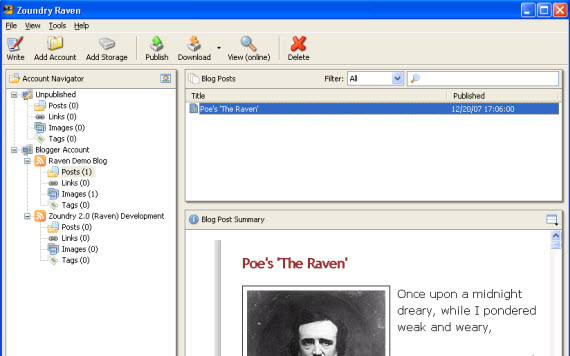
You don’t need to know a thing about HTML code to make perfect posts. Write your posts at your own pace without having to be online.
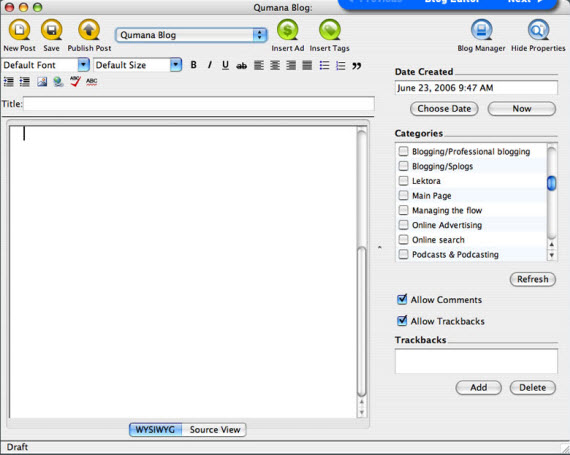
Qumana is an easy-to-use desktop blog editor, enabling you to write, edit and post to one or more blogs. You can use Qumana even when you are offline. Save your blog posts to your hard drive and upload whenever you like. Great for bloggers on the move.
Qumana features:
- WYSIWYG editor, as easy as email
- Clean interface with easy-to-understand buttons
- Spell check with ‘as you type’ option
- Technorati tagging
- Source view option to edit HTML
- Save posts as drafts, or edit old posts, from the Blog Manager
- Easy image uploads and image alignment
- DropPad – gather links, text, and pictures by dragging them to a desktop pad
- Offline editing
- Multi-window editing
- Seamless posting and cross-posting
- Trackback & pinging
Commercial Desktop Blogging Editors For Windows
(Top 1 Commercial Pick)
A popular Windows blog client for your WordPress, TypePad, Blogger, Drupal, etc. blogs. Get convenience and speed of a native application, and the ability to write posts offline. BlogJet comes with English (US) and English (UK) dictionaries.
If you cannot decide, check out their huge feature list and video demo here. All recommendations and demos made this blogging client my top 1 choice. It’s not free, but at least I get many features, good support and regular updates. Such blog client is one of the most important tools in article creation, so I think 39.95$ is very good investment at least for me.
Several features:
-
WYSIWYG Editor
-
Post Management and Searching
-
Word Counter and Blog Statistics
-
20 High-Quality Smileys
-
Spell Checker
-
Flickr and YouTube Support
-
Auto Replace
-
Modern Interface
Price: $39.95

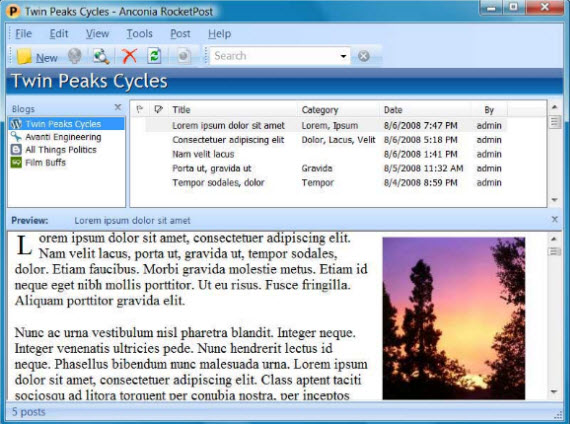
RocketPost is smart blog software for power bloggers. It’s the only one with WYSIWYG editing, full local editing and full blog import. And it works just like email, so you already know how to use it.
Speed up your blogging with one-click Technorati, Flickr and Del.icio.us tags, built-in photo editing, instant photo albums, automatic linking to related posts, quote tracking, quick linking, drop caps, pull quotes and a running word count.
Not free software, but filled with many features, you might use daily to automate your article writing process greatly. Certainly a good pick as well.
Several features (read more):
-
WYSIWYG editing
-
Full local editing – See and edit all your posts in one place without having to download them every time
-
Full blog import – Download all your existing posts and get started in less than 5 minutes
-
Picture editing – Crop, resize and compress pictures right within your post
-
Check spelling while you type
-
Multiple-word AutoCorrect
Price: 29$
Other Solutions
ScribeFire is a full-featured blog editor that integrates with your browser and lets you easily post to your blog.

What’s your favorite desktop blogging client? And why?